


Etsy Seller: Manage Your Shop
4.63.19K Reviews
App Specs
- Version
- 2.5.0
- Updated On
- License
- Free
- Downloads
- 5,000,000+
- Developer
- Etsy, Inc
- Categories
- Business
- Platform
- Android, iOS
Screenshots

 Analysis by AppCompare
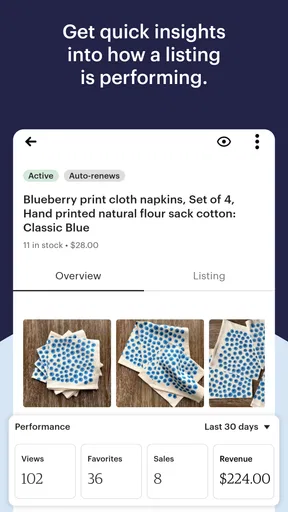
Ever wondered how to manage your shop on the go? Well, I’ve just taken a deep dive into the Etsy Seller: Manage Your Shop app, and let me tell you, it’s quite the companion for all you creative entrepreneurs out there. Whether you’re a seasoned Etsy veteran or just starting out, this app has a little something for everyone.
Getting Started with Ease
First things first, downloading and setting up the app is as smooth as butter. Available on both Android and iOS, the installation process is straightforward. Once you log in with your Etsy credentials, you’re greeted with a sleek dashboard that gives you a bird’s-eye view of your shop’s performance. This is where the magic begins.
Now, I’m not a tech wizard, but navigating through the app felt intuitive. The interface is clean and user-friendly, which is a breath of fresh air. You won’t find yourself lost in a maze of menus, and that’s a huge plus in my book.
Features That Make Life Easier
The Etsy Seller: Manage Your Shop app is packed with features designed to streamline your selling experience. Let’s break down some of the highlights:
- Real-time Notifications: This feature is a game-changer. You get instant alerts for new orders, messages, and shop updates. It’s like having a personal assistant who never sleeps.
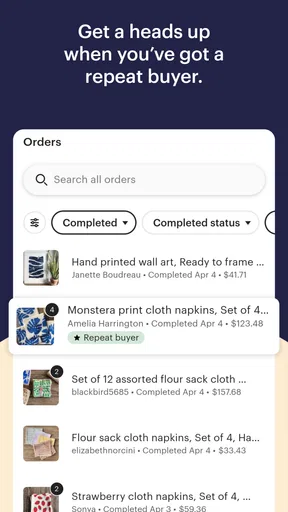
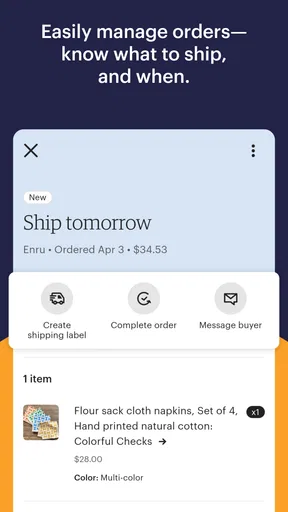
- Order Management: The app allows you to view and manage your orders effortlessly. You can process sales, print shipping labels, and even track shipments all from your phone.
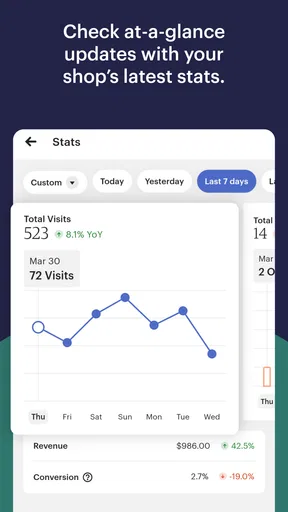
- Shop Stats: Keeping track of your shop’s performance is crucial, and the app provides detailed analytics. From views to sales, it’s all there, helping you make informed decisions.
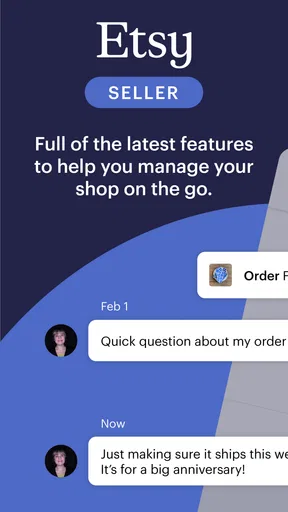
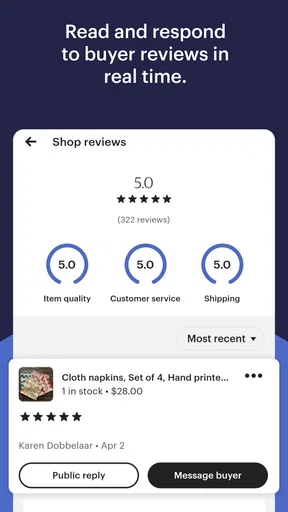
- Communication: Engaging with customers is key, and the app’s messaging system lets you respond to inquiries quickly. A happy customer is a repeat customer, right?
A Few Quirks
While the app is generally a joy to use, there are a couple of quirks worth mentioning. Sometimes, the notifications can be a bit too enthusiastic, pinging you for every little thing. And while the analytics are comprehensive, they might feel overwhelming for newcomers trying to decipher all the data. But hey, it’s all part of the learning curve!
I also noticed that the app doesn’t support bulk editing of listings, which could be a minor inconvenience if you’re managing a large inventory. Hopefully, that’s something they’ll address in future updates.
The Final Verdict
All in all, the Etsy Seller: Manage Your Shop app is a must-have for anyone looking to take their Etsy business to the next level. It’s like carrying your shop in your pocket, allowing you to manage everything with ease and efficiency. Sure, it has a few quirks, but what app doesn’t?
Worth Reading Before You Choose

EA SPORTS FC Mobile 26 Is a Bigger Football Game, but It Takes Time

Flipboard Shows What News Apps Must Do Beyond the Feed

Switching to Android Auto Means Rethinking Your Driving Routine

Google Calendar Makes a Crowded Week Easier to Manage

Ludo King Makes the Most of the Minutes Between Plans

Baby Panda World Brings Quick Play to Modern Phones, but Its Game Library Feels Busy
If you’re serious about growing your Etsy business, give this app a whirl. It’s a handy tool that can save you time and headaches, letting you focus on what you love most—creating and selling awesome products. Ready to make your life easier? You can download the app from the links below and start exploring today!
Pros
- User-friendly interface for easy navigation.
- Real-time notifications for instant updates.
- Comprehensive sales analytics section.
- Efficient order management tools.
- Customizable shop settings and options.
Cons
- Limited features in the free version.
- Occasional syncing issues with listings.
- Customer support response can be slow.
- Some features require a stable internet connection.
- Limited customization for store design.
FAQs for Etsy Seller: Manage Your Shop
What features does the Etsy Seller app offer?
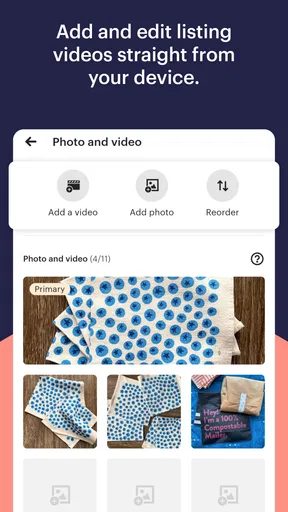
The Etsy Seller app provides a comprehensive suite of tools for managing your Etsy shop on the go. Features include order management, inventory tracking, sales analytics, and the ability to communicate with buyers directly. It also offers customizable settings for notifications, allowing sellers to stay updated on their shop’s activities.
How user-friendly is the Etsy Seller app for new users?
The Etsy Seller app is designed with a clean, intuitive interface that is friendly for both new and experienced users. It offers helpful tutorials and guides to navigate through its features. The dashboard is straightforward, with easily accessible tabs for orders, listings, and stats, making it easy to manage your shop efficiently.
Can I manage multiple Etsy shops with this app?
Currently, the Etsy Seller app supports only one shop per account. If you manage multiple shops, you will need to log out and log back in with the credentials of the other shop. This limitation is something to consider if you have more than one Etsy shop to oversee.
Is the Etsy Seller app available for both Android and iOS?
Yes, the Etsy Seller app is available for both Android and iOS devices. It can be downloaded from the Google Play Store for Android users and the Apple App Store for iOS users. It is optimized for smartphones, allowing you to manage your shop conveniently from anywhere.
Does the Etsy Seller app have any costs associated with its use?
The Etsy Seller app itself is free to download and use. However, standard Etsy fees apply to your transactions, such as listing fees and commission on sales. The app is a tool to facilitate shop management, but it does not alter the existing fee structure of Etsy’s platform.


